Ink is a colour
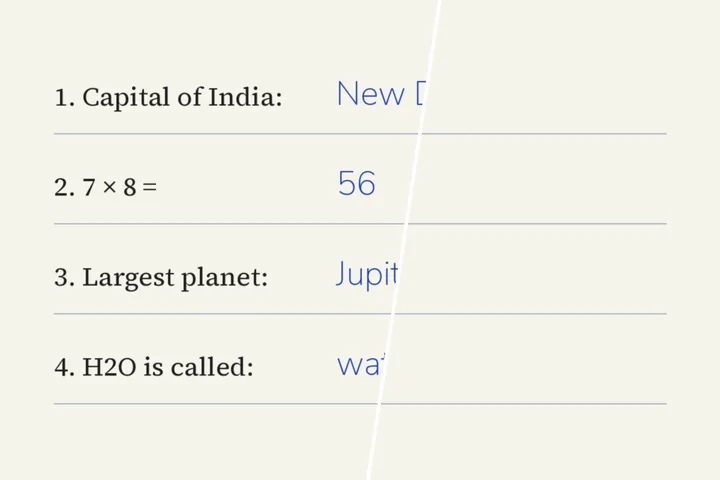
A pixel of blue biro and a pixel of printed black type can be equally dark, so the brightness test the rest of this site uses would take both. What separates them is hue. This mode builds its mask from colour distance to the pen, and the Mask view shows exactly which pixels that takes before anything is rebuilt.
Answers written on a worksheet, notes in a margin, a signature you are entitled to remove from your own copy — the job is the same: box the writing, choose the pen, check the mask, remove.
Use this on your own documents and worksheets. Altering a signed or official document is not what this mode is for.
Where this mode goes wrong
- Black pen over black print.No colour separates them; boxes and the protect brush are the only way.
- Ink that soaked into the paper.Fountain-pen bleed and show-through from the back of the sheet leave a faint shadow.
- Coloured printing.A blue printed heading is the same colour as blue ink; protect it with the brush.
What stays on this device
The page is processed in this tab and never uploaded. Nothing you photograph — answers, names, numbers — is stored or sent anywhere.
Questions about handwriting
How does it tell pen from print?
By colour, not by brightness. The mask is every pixel within a colour distance (in the OKLab colour space) of the pen you choose or pick with the eyedropper. With a blue or red pen, near-neutral dark pixels — printed black type and rules — are held back. With a black pen on black print the two cannot be separated by colour, and the page says so: box the handwriting instead of using the whole page.
Does pencil work?
Often, with care. Graphite is a grey, so it is close to faint print and to shadows; start inside boxes rather than on the whole page, and raise the tolerance a step at a time while watching the Mask view.
Will the paper look clean?
The fill is the paper itself: its colour read from the page around the ink (a light percentile per block, so stray ink does not pull it darker) with the page's own grain copied back on top. "Level the paper to white" is a separate change to every pixel that divides out the page colour, so a grey scan comes back white.
Can it remove handwriting from a whole stack of pages?
This mode works one page at a time, so you can pick the ink and check the result. The folder queue clears lettering by brightness, not by ink colour, so it is the wrong tool for pen on paper.
Where the job goes next
- Redact text in an image Opaque cover, not repair: numbers and names hidden, the Aadhaar preset showing only the last four digits.
- Screenshots, by the folder Flat ground and sharp edges, PNG in and PNG out, and the queue for a set of frames is on by default.
- ImageTextRemover Draw a box over the lettering, keep the boxes you meant, and get the picture back with the ground painted across them.