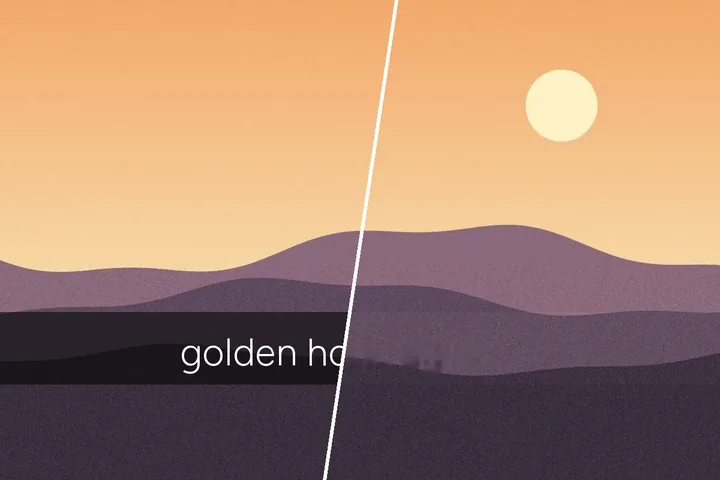
Under the bar the photo is still there
Most text-removal tools treat a caption bar as a hole: everything inside it is thrown away and invented again. But a see-through bar has only dimmed the photograph, and dimming can be undone if you know by how much. That measurement is what this page adds.
After the bar is lifted, the letters are all that is left to remove, and a letters-only mask over restored pixels is a small, local job — so the result keeps the real picture across most of the bar's area.
If the fit is poor, the page says so and fills the bar as an opaque band. It never pretends to restore what it could not measure.
Where this mode goes wrong
- Rounded or gradient bars.The fit assumes one opacity and tint across the bar; a fading bar leaves a faint step at its ends.
- Stickers, emoji and drawings on top.They are opaque objects, not part of the bar, and need their own box with a fill.
What stays on this device
The picture is opened, measured and rebuilt in this tab. Nothing is uploaded, and no account anywhere is touched.
Questions about story captions
How can a darkened caption bar be brightened back?
A see-through bar changes every pixel under it in the same way: each colour becomes a fixed share of what was there plus a share of the bar's tint. Pairs of pixels just inside and just outside the bar's edges give that share and that tint by a least-squares fit, and the same arithmetic is run backwards across the bar. The panel prints the opacity, the tint and how well the fit matched before you run it.
When does un-blending not work?
When the bar is nearly opaque — too little of the photo survives under it — or when the picture changes so much across the bar's edges that the fit is poor. The panel says so in those cases, switches the mask to the whole box, and the bar is filled like any opaque band.
Does it work on screenshots of stories?
Yes; a screenshot keeps the bar and the letters as they were drawn. If the app's own buttons sit near the bar, draw a box over the bar yourself and press Measure, so the finder is not distracted by them.
Is anything sent to the app the picture came from?
No. This site has no connection to any social app. The file you open is decoded and processed in this tab, and nothing is uploaded.
Where the job goes next
- Remove a caption from a photo Top and bottom caption bands, outlined meme letters taken whole, and a strip filled or cropped off when you tick it.
- Subtitle strips Opens with a wide box along the lower third, which is where a burned-in caption almost always sits.
- Edit text in an image Remove the old words, then retype in their colour, size and angle, in the closest local font by shape.