Badges go, branding stays
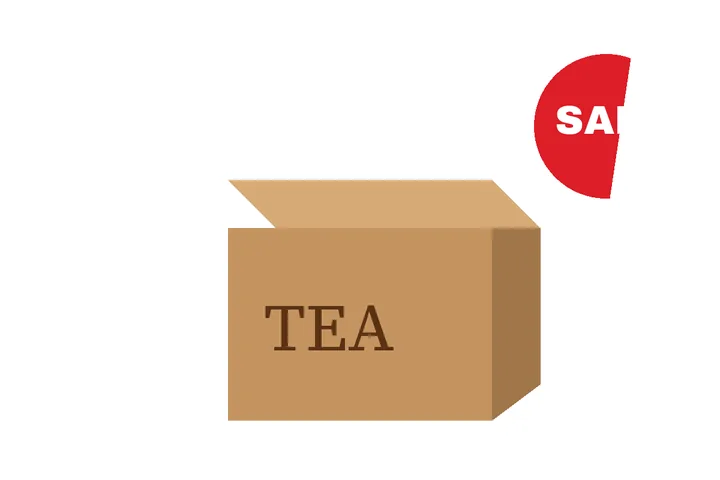
A product photo picks up lettering in two ways. Some is added afterwards — a 'SALE' badge, a price sticker, a supplier's watermark, a line of features across the bottom — and the main-image rules forbid it. Some is printed on the product itself, and that is simply what the product looks like.
This mode tells the two apart with the same measurement it uses everywhere: added lettering is level and evenly lit, printed lettering follows the box's angle and the light falling on it. On a white studio ground, Flat colour clears a badge into exact white.
The marketplace figures here are from secondary seller-guide pages and carry a label saying so. Confirm them on the official seller portal.
Where this mode goes wrong
- Badges over the product itself.Clearing a sticker from a printed box means rebuilding the print under it; Patch or the model may do, flat colour will not.
- Logos.A logo is an object, not lettering; this mode makes no claim to remove one.
What stays on this device
Product photos are checked and cleared in this tab. Nothing is uploaded to this site or to any marketplace.
Questions about listing photos
What do marketplaces say about text on the main image?
Seller guides for the two largest Indian marketplaces ask for a white or light background, at least 1000 × 1000 pixels, and no text, logos, watermarks or overlays on the main image. Those figures are from secondary seller-guide pages, not the marketplaces' own help — confirm them on the official seller portal before relying on them.
Will printed branding on the product be removed?
Not by default. The brand printed on a box or a label is part of the product, and listing rules allow it; lettering whose baseline or lighting follows the object is read as scene text and opens unticked. Overlay badges, price stickers and added text open ticked.
Does it check the 1000 px minimum?
Yes. The Listing check panel shows the picture's size against 1000 × 1000, how much of the border is pure white (255, 255, 255), and whether any lettering was found laid over the picture. It does not judge logos or how much of the frame the product fills.
Can I check a whole set before uploading?
Yes. Drop several pictures and press "Check the set — change nothing": every row reports overlay text found, text on the product only, or no lettering, plus its size and white border. Clear the ones that need it, or open any one in the workspace and fix it by hand.
Where the job goes next
- Batch remove text A folder, each picture read on its own: preflight, a three-picture preview, a report per file and fix-by-hand.
- Remove your own text watermark A central text-mark box with the ownership boundary stated before the fill runs.
- Remove text from a photo Camera pictures: the scene's own signs left alone, grain kept by the patch fill, HEIC opened directly, capture date kept or dropped.