Measured, then proposed
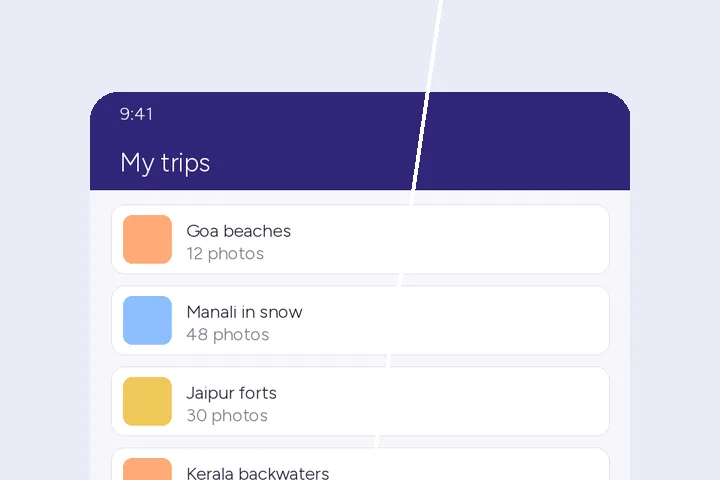
Every phone draws its status bar a little differently, but the icons always sit on one line, centred in a band across the top. The finder reads the top of the screenshot row by row, counts the pixels that stand off each row's own colour, takes the first block of busy rows as the icon line, and closes the band symmetrically below it. The Status bar section prints the rows it found, and the box on the stage is yours to adjust.
Removal only. Screenshots shown as evidence of a time or a battery level should not be altered.
Where this mode goes wrong
- Status bars over a photo wallpaper.A flat fill leaves a plain band over the picture; switch the fill to Patch.
- Screens with the notch area in colour.Camera cut-outs drawn into the screenshot are part of the band and are filled too.
- Landscape and tablet screenshots.A thin or missing status bar may not be found; draw the box yourself.
What stays on this device
Screenshots often show messages and names: they are decoded and cleared in this tab and never uploaded. The folder queue runs in the same tab.
Questions about status bars
Which parts of the status bar are removed?
The whole band across the top: the clock, carrier name, signal bars, Wi-Fi, battery and any notification icons in it. The finder looks at the top eighth of the screenshot for the first line of small marks on an even ground and closes the band as far below the icons as they sit below the top edge. The band is proposed as a box you can resize; nothing changes until you press Remove.
Does it add a fake clock?
No. This route only removes: the band is filled with its own ground, flat by default, or with Patch if the band sits over a wallpaper or gradient. Drawing a tidy 9:41 and a full battery back in would be adding content, and this site does not do that.
Can it handle a folder from one phone?
Yes. Drop several screenshots at once and the folder queue measures each one's band on its own pixels, fills it flat, and reports a row per file with the band height and the ink counted before and after. A screenshot with no band found is handed back untouched. The whole set downloads as a ZIP.
What about the bar at the bottom of the screen?
The navigation bar or home indicator is not measured by this route. Draw a box over it on a single screenshot and it is cleared with the same fills.
Where the job goes next
- Screenshots, by the folder Flat ground and sharp edges, PNG in and PNG out, and the queue for a set of frames is on by default.
- Redact text in an image Opaque cover, not repair: numbers and names hidden, the Aadhaar preset showing only the last four digits.
- Batch remove text A folder, each picture read on its own: preflight, a three-picture preview, a report per file and fix-by-hand.