Inside the line only
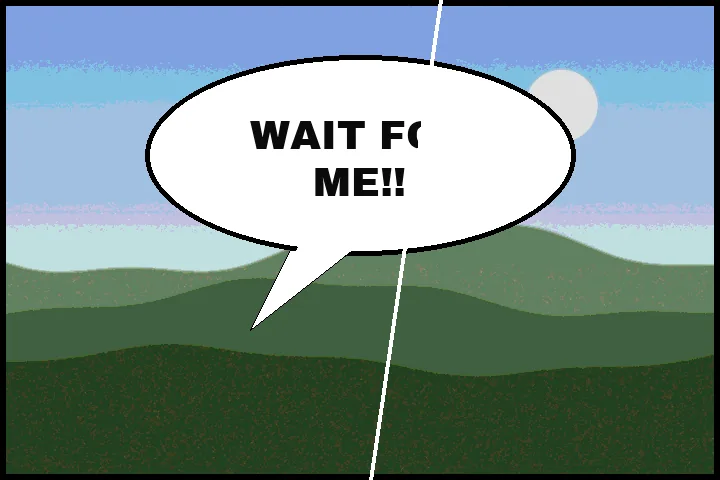
A bubble is a light shape closed by a dark line, and its lettering is the dark marks it encloses. That is all this route needs to know — no reading of the words — and it is why the outline is safe: the outline is reachable from outside the bubble, so it is never part of what is filled. The Speech bubbles section counts what was found; every bubble is a box you can untick, move or redraw.
For your own pages, translations you are entitled to make, and scanlation of works whose rights allow it.
Where this mode goes wrong
- Letters touching the outline.They are joined to the line and left standing; brush them in with Add.
- Open or broken bubbles.A bubble without a closed line is not found; draw a box, and close the gap with the protect brush if needed.
- Shaded or textured bubbles.Screentone inside a bubble is filled flat; use the main workspace with Patch for those.
What stays on this device
Pages are decoded and cleaned in this tab, one at a time in the folder queue. Nothing is uploaded or stored.
Questions about speech bubbles
Is the bubble outline kept?
Yes, by construction. Inside each box the page finds the bubble's light interior, marks everything reachable from the box edge without crossing that interior as outside — the art, the paper and the outline — and fills only the dark marks the interior encloses. The fill is the interior's own colour, so a cream bubble stays cream.
Does it work on vertical (manga) text?
Yes. Nothing here reads the direction of the writing: any dark mark enclosed by the bubble's interior is lettering, whether it runs across, down or in a circle. Letters that touch the outline are joined to it and left, so check those bubbles in the Mask view.
Can I clean a whole chapter?
Yes. Drop all the pages at once and the folder queue reads each page for its own bubbles, cleans them, and reports a row per page with the number of bubbles and the ink counted before and after. A page with no bubble found is handed back untouched. The chapter downloads as a ZIP.
What if a bubble is not found?
Bubbles cut off by the panel edge or not fully closed are skipped. Draw a box round the bubble, outline included, and it is read the same way.
Where the job goes next
- Edit text in an image Remove the old words, then retype in their colour, size and angle, in the closest local font by shape.
- Batch remove text A folder, each picture read on its own: preflight, a three-picture preview, a report per file and fix-by-hand.
- ImageTextRemover Draw a box over the lettering, keep the boxes you meant, and get the picture back with the ground painted across them.